

AI scores and audio to notation
AI Sheet Music MakerGeneratorCreator
Compose an original classical-style piece from a period, a composer style and an instrumentation, or turn a recording into a score. Play it and download it.
- tools8
- free in browser5, no account
- score downloadsABC, MusicXML, MIDI
start here: pick a period, then a composer
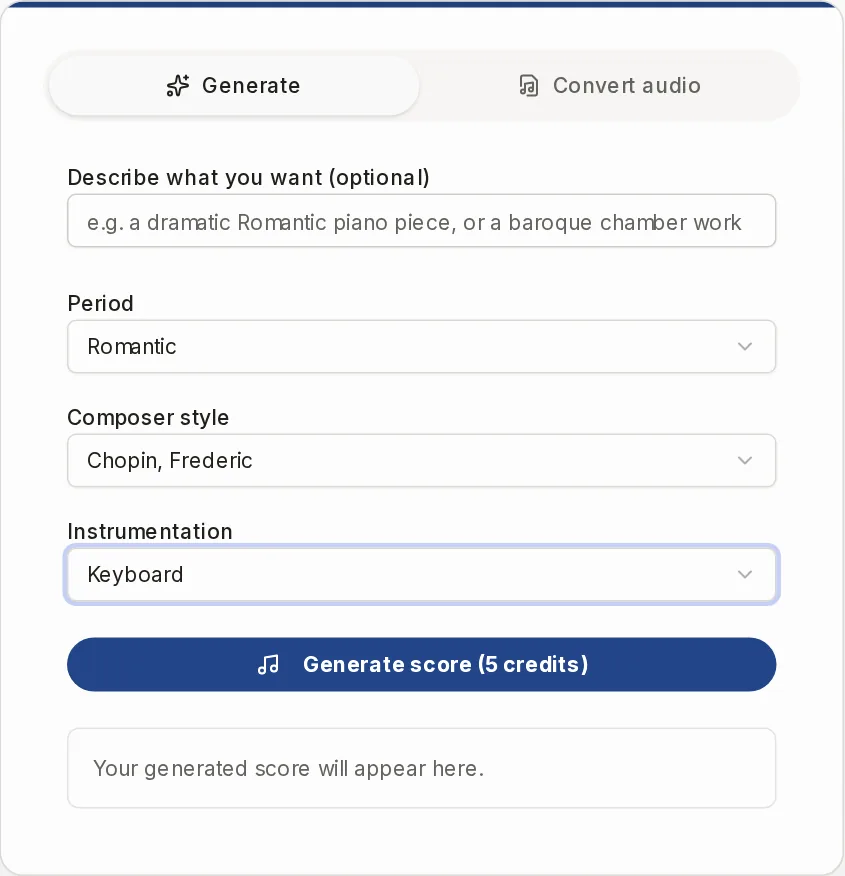
Your generated score will appear here.
A sheet music maker that composes, and a map to the other tools
The panel above is an AI generator of original classical-style scores, plus a converter from audio to sheet music. It is not a song library and you cannot click notes onto a staff there. Here is where each need goes.
Have an AI write a new piece
Generate tab
Pick a period, a composer style and an instrumentation, press Generate score, and a new piece appears as staff notation. Classical styles only, and you need to sign in and have credits.
Turn a recording into sheet music
Convert audio tab
Upload a file, paste a link or record with your microphone, choose the instrument and get a MusicXML score. It needs sign-in and credits, and it works for one instrument at a time.
Write your own notes without a heavy program
Music Notation Software
Type your notes as ABC text and watch the staff redraw. It is text entry, not clicking on the staff. Start from a template if you like.
Work in the browser, no install, no sign-up
Music Notation Software
It opens in the browser with no account. Nothing is stored on our side, so keep the ABC source or the PDF or MIDI you download.
Get a drum or guitar-style part
Music Notation Software
Use the drum beat template for a drum staff or the lead sheet template for a melody with chords. There is no tablature.
Know what is free before you start
Free in the browser, credits on our servers
Writing, blank staff paper, playing and transposing a file, and MIDI to sheet music are free without an account. Generating and audio conversion use credits, and the button shows the price first. See Pricing.
Pick the tool that fits
Eight tools, one for each job. Most of them run in your browser without an account.
Music Notation Software
Type notes as text, see the staff, play it, download PDF, MIDI or ABC.
Open tool
How the score generator works
- 1
Choose a period
Baroque, Classical or Romantic. The next lists only show what is valid for this choice.
- 2
Choose a composer style
There are 62 composers, from Bach and Vivaldi to Chopin, Brahms and Debussy. Some are limited to certain instrumentations.
- 3
Choose an instrumentation
Art Song, Chamber, Choral, Keyboard, Orchestral or Vocal-Orchestral. Together the lists give 112 valid combinations.
- 4
Or describe it in words
Type something like a dramatic Romantic piano piece in the text box and press Enter. It picks the closest combination and fills the three lists for you. You can still change them.
- 5
Press Generate score
Sign in, and the piece is composed on our servers. It can take a couple of minutes. The same choices give a different piece every time.
- 6
Play it and download it
The staff is drawn in your browser. Press Play, then download ABC, MusicXML or MIDI. Every score is saved in your library.
The score generator in numbers
- periods
- 3
- composers
- 62
- instrumentation types
- 6
same choices, a new piece each time
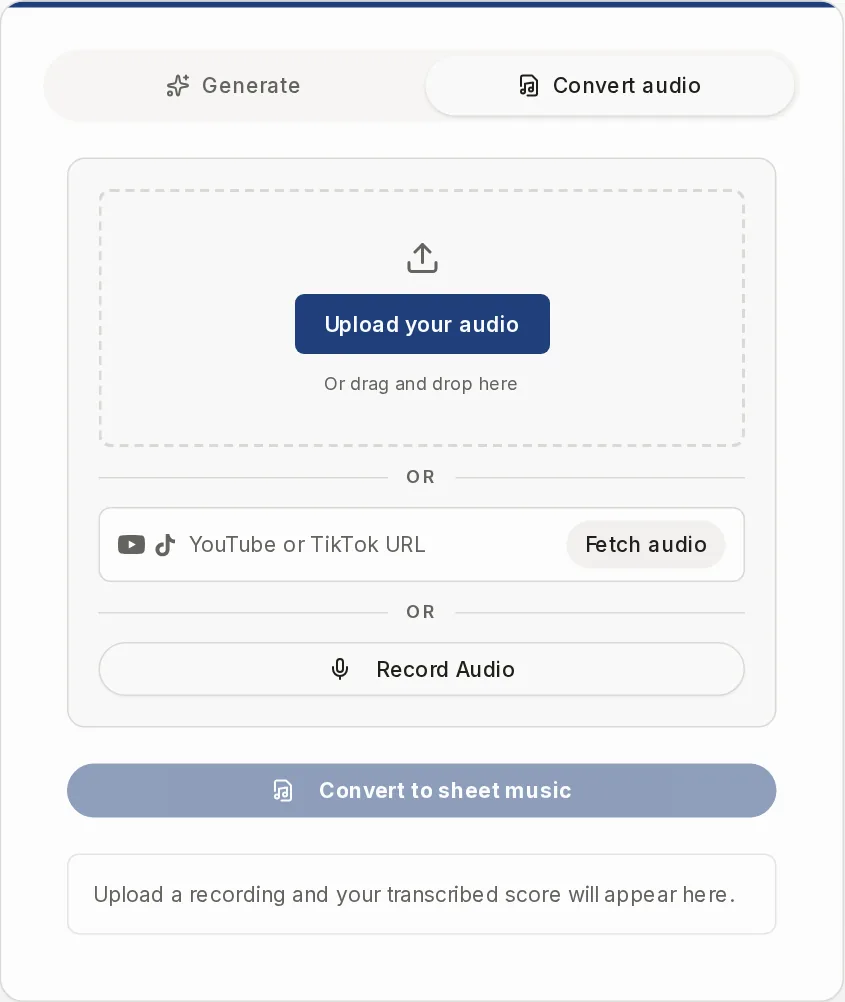
Audio to sheet music, in the second tab
Open the Convert audio tab, add your recording as a file, a link or a microphone take, and choose the instrument you want written out. You get a MusicXML score back, with ABC and MIDI downloads.
It transcribes one instrument per run, so pick the one that carries the melody you want. It uses your credits, and the score is saved to your library.
The result cannot be edited here. Download the MusicXML and open it in a notation program, or paste the ABC into Music Notation Software. For the full details, see Audio to Sheet Music.
takes links fromYouTubeTikTok
What the generator does not do
No existing songs
It composes new pieces. It does not look up a song title, arrange a melody you give it or write from a chord progression.
Classical styles only
3 periods, 62 composers, 6 instrumentation types. No pop, jazz, guitar or band scores.
No settings for key or length
There are no controls for key, tempo, meter, bars or title. Each run gives a new piece.
No PDF on the result
Downloads there are ABC, MusicXML and MIDI. For a PDF, use Music Notation Software or the Music Transposer.
No editing of the result
To change a score, open the MusicXML in a notation program or paste the ABC into Music Notation Software.
No quality promise
Treat a generated piece as a starting point. Play it and check it before you rely on it.
What is free and what uses credits
The button shows the price before anything is charged. Plans and credit packs are on Pricing.
| Account | Cost | |
|---|---|---|
| Music Notation Software | No | Free |
| Blank Sheet Music | No | Free |
| Play or transpose a file | No | Free |
| MIDI to Sheet Music | No | Free |
| Score generator | Sign-in | Credits |
| Audio to sheet music | Sign-in | Credits |
| Scan a photo or PDF | Sign-in | Credits |
Questions
Is there an AI that can write sheet music?
Yes, the Generate tab does. It composes a new classical-style piece from the period, composer style and instrumentation you choose. It does not write for a specific song or in a modern style.
Can I get sheet music for a song I know?
Not from the generator, and there is no library of existing songs. If you have a recording, use the Convert audio tab. If you have a printed page, use the Sheet Music Scanner.
Can I write my own notes here?
Yes, in Music Notation Software. You type them as ABC text and the staff redraws as you type. You do not click notes onto the staff.
Do I need an account?
Not for the browser tools. The generator, audio conversion and scanning run on our servers, so they need a sign-in and credits.
What happens if a generation fails?
If the run fails on our side, the credits for it are returned automatically.
Where do my scores go?
Every generated or transcribed score is saved in your library after you sign in. You do not have to save anything by hand.
What does Partiturmaker mean?
Partitur is the German word for a musical score, so the name reads as score maker.
Compose your first score
Choose a period, a composer style and an instrumentation, or drop in a recording.