

Free labeled piano keyboard
Piano Keys Labeled With Note Names, Octaves and Sound
Every key shows its note name. Tap one to hear it and see where it sits on the staff, pick the keyboard size you own, then print the chart.
- keyboards88 to 25 keys
- accountnone needed
- works onphone and desktop
Middle C
On the staff
-
Keys from middle C up are shown in the treble clef, keys below it in the bass clef. Black keys have two names: the sharp of the key below and the flat of the key above.
Piano keys labeled, so you stop guessing which note is which
Open the page and the whole keyboard is already labeled. These are the snags it removes.
You cannot remember which key is which note, and a plain keyboard picture does not help.
Note names, Octave numbers, Keyboard
Every white key shows its name and octave. Tap a key to hear it and see its name on the staff. Choose 88, 76, 61, 49, 37 or 25 keys to match the keyboard you own.
One chart says middle C is C4, your keyboard manual says C3.
Octave numbers, Middle C = C3
The chart numbers octaves the standard scientific way, so middle C is C4. Switch on Middle C = C3 and every key is renumbered one octave lower, the way Yamaha keyboards and many music apps count. Pick whichever matches what is in front of you.
You cannot tell where middle C is on a small keyboard.
Keyboard, Middle C
Middle C carries a red dot, with a note under the keyboard so you can spot it on any size. Smaller keyboards are shown as their own chart, not a cropped 88-key picture.
A black key has two names, like C# and Db, and you do not know which one to use.
Black key names
Turn on Black key names and each black key shows both names. Tap it to hear it and see it on the staff. The staff always draws black keys with a sharp, so the flat name appears only in the label.
You want labels for a real piano or keyboard that you can put on paper.
Print chart
Print chart sends only the keyboard to your printer, landscape, with the labels exactly as you set them. The browser's print dialog also lets you save a PDF. The chart is scaled to the page, so it will not match the width of your real keys, and there is no sticker layout.
What each setting shows
Three views of the same chart.
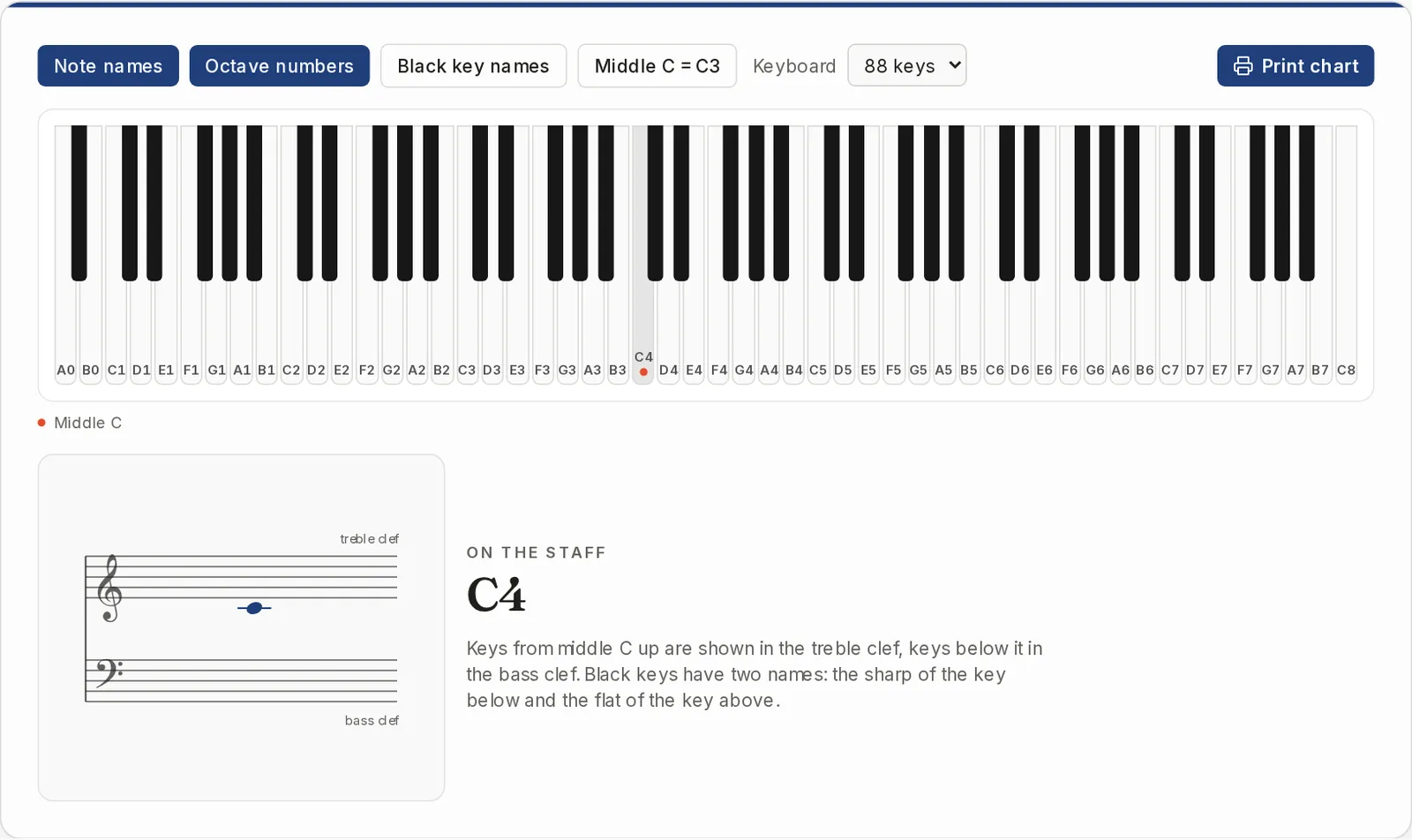
The full 88-key piano
Start with the whole keyboard from A0 to C8. Note names and octave numbers sit on the white keys, middle C has its red dot, and the last key you tapped lights up.
- Note names and octave numbers can each be switched off
- Several keys can sound at once on a touch screen
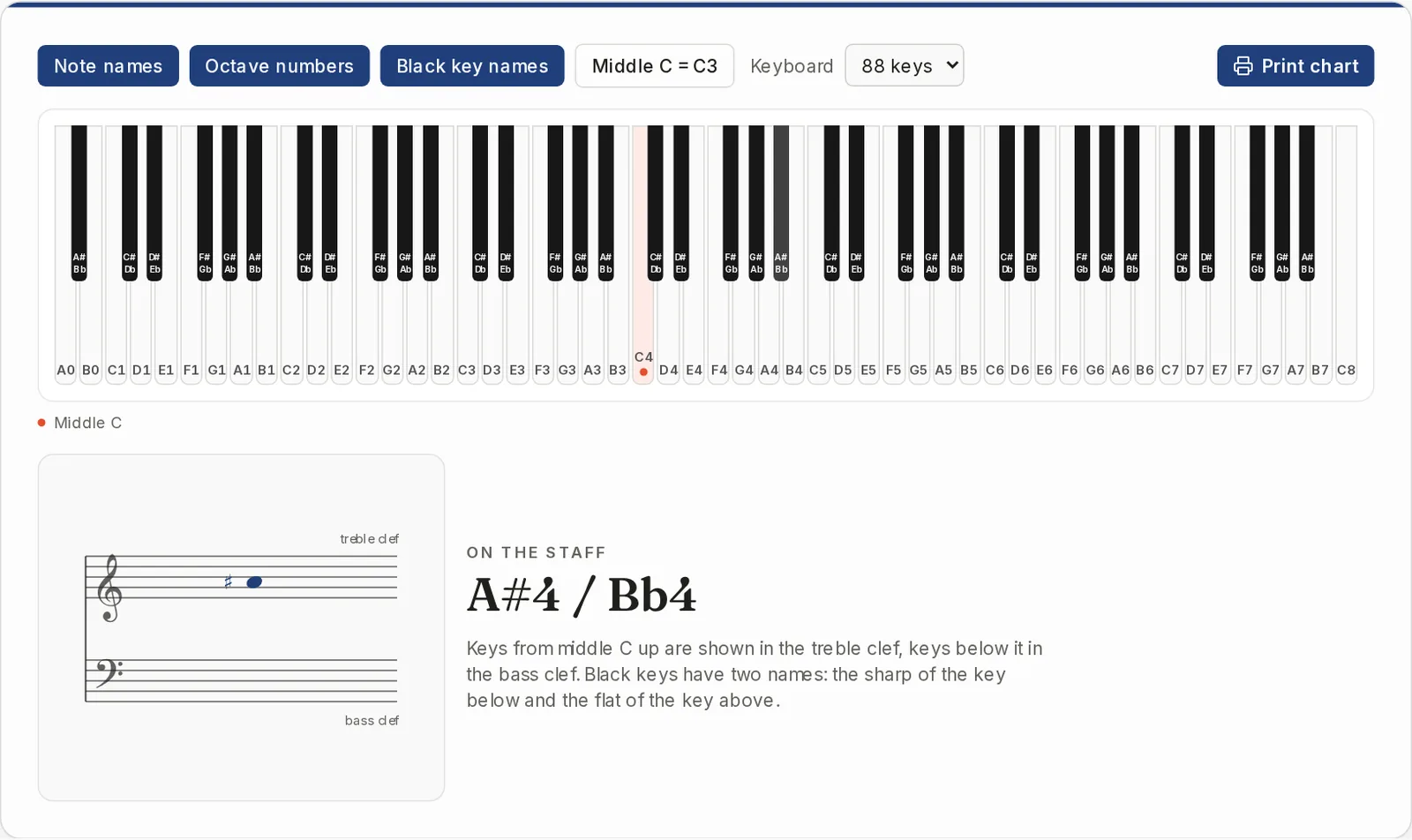
Both names on every black key
With Black key names on, each black key reads like C#/Db. Tap one and the staff shows it with a sharp next to its full name.
- Sharp name and flat name on the same key
- The staff always uses the sharp
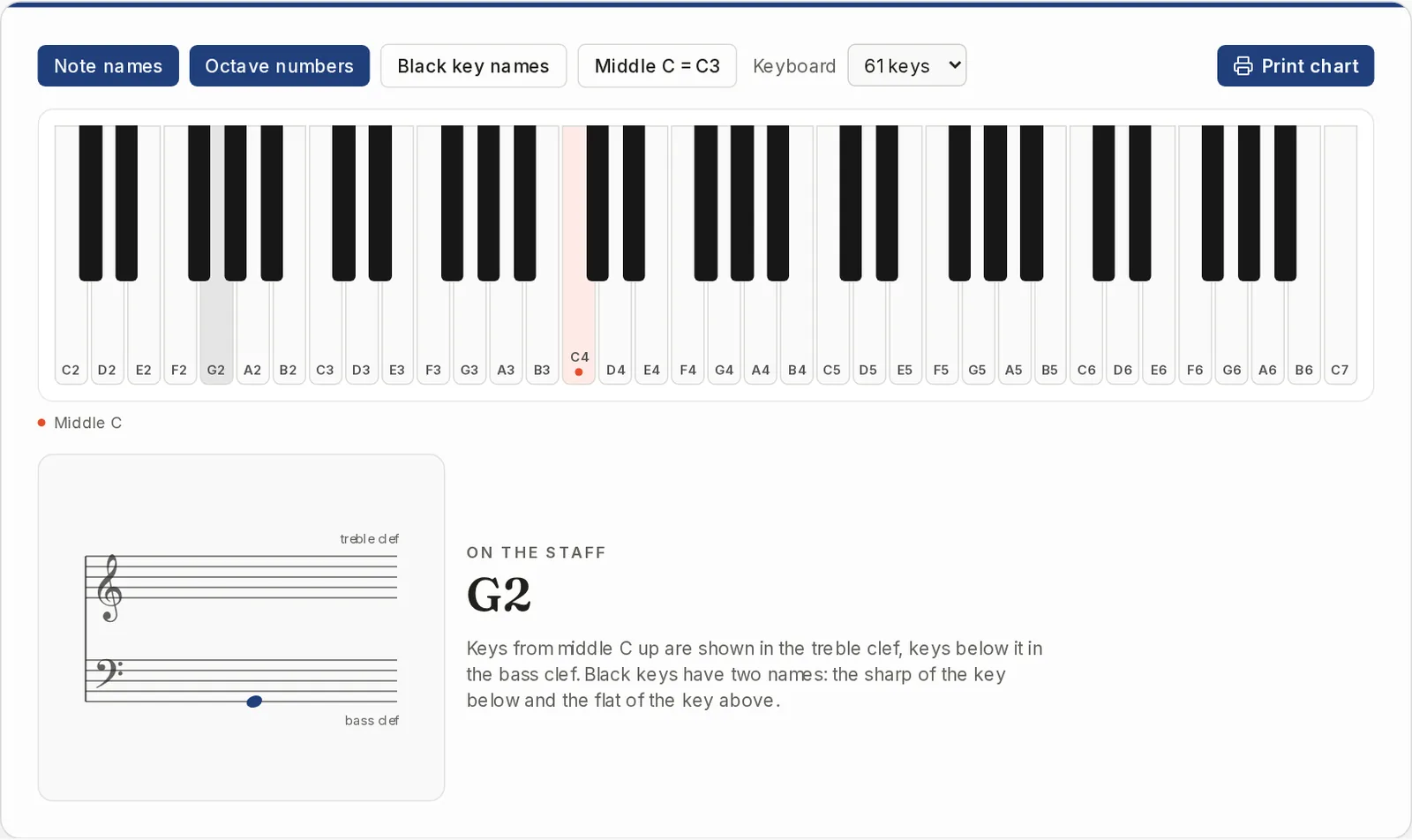
A smaller keyboard and a low key
Set the keyboard to 61 keys for a home keyboard. Tap a low key and it is drawn in the bass clef, with ledger lines where the staff runs out. Keys from middle C up go in the treble clef.
- The very highest and lowest keys use 8va, 15ma or 8vb instead of a tall stack of ledger lines
- The staff shows the key you tapped. It does not work the other way round
What are piano notes?
Piano notes are the pitches the keys play, named with the letters A to G. White keys carry those letters, and each black key sits between two of them and takes a sharp or flat name. The same letters repeat in every octave, which is why the octave number matters.
- The full piano has 88 keys, 52 white and 36 black
- The notes on a piano run from A0 at the left end to C8 at the right
- Middle C is the white key just left of the pair of black keys near the center
How to find a note on the piano
- 1
Choose your keyboard
Open the Keyboard menu and pick the size that matches your instrument, from 88 keys down to 25.
- 2
Set the labels
Switch Note names, Octave numbers and Black key names on or off until the chart shows what you need.
- 3
Tap a key
The key sounds and lights up, and On the staff shows where that note is written in the treble or bass clef.
- 4
Print it if you want a copy
Press Print chart to print the keyboard with your labels, or save it as a PDF from the print dialog.
Questions about piano keys and notes
How are piano keys labeled?
White keys use the letters A to G, repeating up the keyboard, and an octave number tells you which A, B or C you mean. Black keys take a sharp or flat name from the white key next to them, like C#/Db.
What are the 12 keys on a piano?
One octave has 12 keys: seven white and five black. The pattern of two black keys, then three, repeats across the whole keyboard.
How do I memorize the keys on a piano?
Start with the black key groups. The white key just left of a pair of black keys is C, and the others follow in order. Tap keys on the chart, listen, and watch where each one lands on the staff. The chart has no quiz or flash cards.
Where is middle C on my keyboard?
Pick your keyboard size and look for the red dot. It marks middle C, which is C4 by default and C3 if you switch on Middle C = C3. A particular model can start on a different key than the usual ranges used here.
Does it work on a phone, and do I need an account?
It works on a phone and needs no account, no credits and no download. On a narrow screen the keyboard scrolls sideways.
Does it use real piano sound?
No. Keys play a simple built-in synth tone, so use it to check pitch and names, not to judge how a piano sounds.
Looking for notes in a song, or more paper?
This chart shows the keys, not songs. These tools cover the next step.
Sheet Music with Letters
Open your own score file and get every note's name written under it.
Open tool
Open the labeled piano keyboard
Free, in your browser, no account. Tap a key and start.