

Free online music transposer
Music Transposer for Sheet Music: Rewrite a Score for Your Instrument
Open a MusicXML or MIDI file, or scan one printed page. Shift the whole score by semitones or to a transposing instrument's part, hear it, and download the transposed PDF and MIDI.
- costfree, no account
- privacystays in browser
- range-12 to +12
MusicXML and MIDI files open in your browser: free, no account, nothing uploaded. Scanning a photo needs a sign-in and credits, and the button shows the price.
A music transposer for written sheet music
This page moves notes on a staff. It does not change chord charts or audio. Here is what it fixes.
You have a concert-pitch or piano score and need it in the written key of your B♭ clarinet or trumpet, A clarinet, horn or alto sax.
For instrument presets
Open the score as MusicXML, MXL or MIDI, then click the preset for your instrument. The score is redrawn on screen and you download it as a PDF. There are five presets, and the whole score moves, not a single part.
Your piece only exists on paper, and you cannot change its key without retyping it.
Scan a printed page
Sign in, choose one image of the page or take a photo on your phone, and it is read into a score you can shift. One image is one page per scan. Clean printed music works best, and errors cannot be fixed here.
The song sits too high or too low for your voice, flute or recorder.
Semitone stepper and quick intervals
Click plus or minus for one semitone at a time, or use a chip such as -5 or +12. The range is one octave either way. You choose a number of semitones, not a key name, and the tool does not check your range.
Transposing by hand is slow, and the sharps, flats and naturals are easy to get wrong.
Automatic re-spelling
Every note is moved and respelled with its accidentals. A MusicXML file keeps its key signature, and the shifted score shows the new one. A scan or a MIDI file without a key signature opens with none, so check those.
How to transpose sheet music online
- 1
Load your score
Drop in a MusicXML, MXL or MIDI file (up to 8 MB), or scan one printed page. Loading a new score sets the shift back to 0.
- 2
Choose the shift
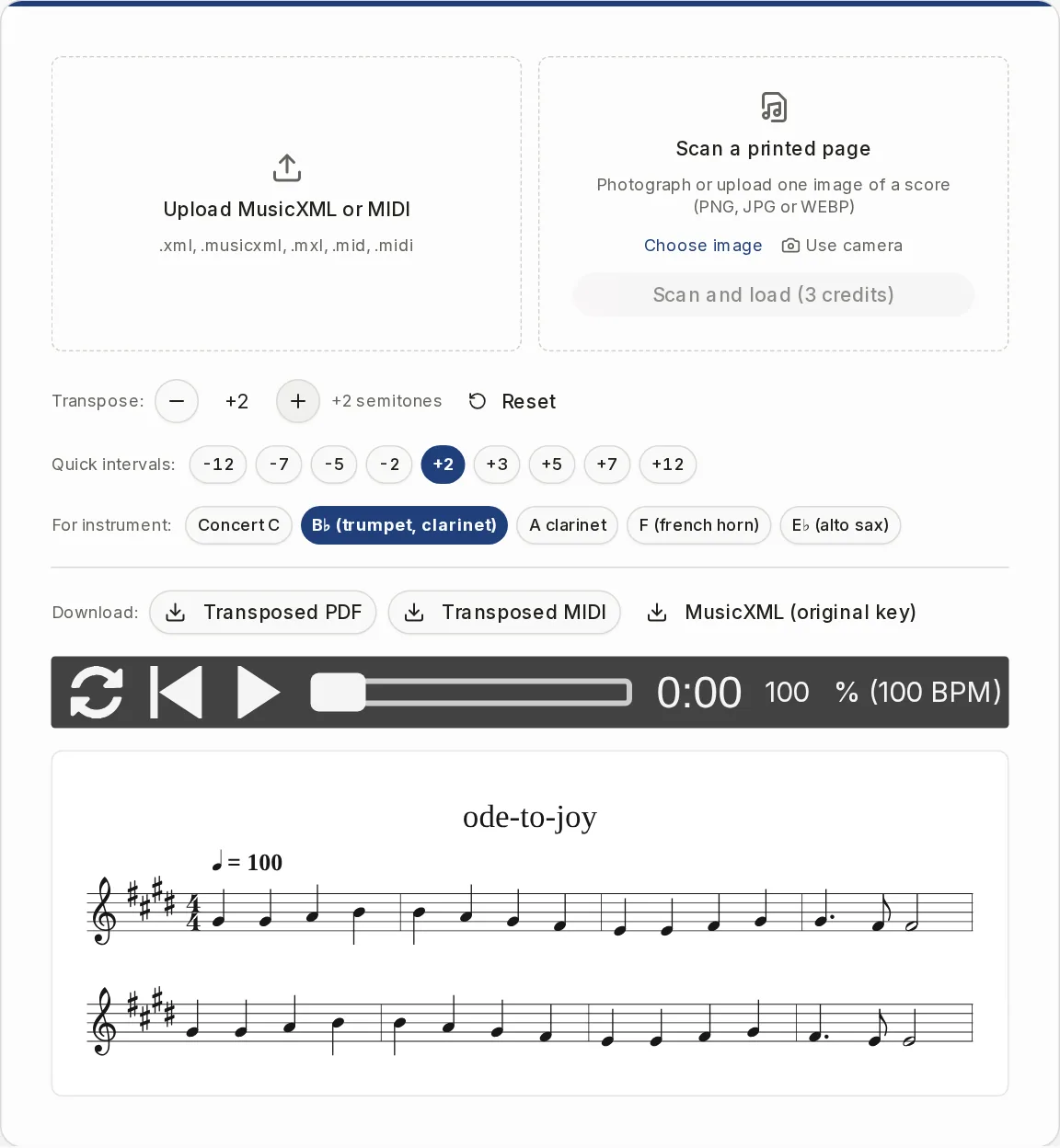
Use the minus and plus buttons, a quick interval chip, or an instrument preset. The current value shows next to the buttons, and Reset returns to 0.
- 3
Listen
Press play. Playback follows the new key, and the note being played is highlighted. The sounds load from the internet the first time you press play.
- 4
Download
Save the transposed PDF (A4, an image of the score) or the transposed MIDI. The MusicXML download is your original file, not transposed.
Transposing instruments chart
Rows are instruments. Start from a concert-pitch part and use the shift to get the instrument's written part. The tool's range is 12 semitones either way.
| Written part is | Shift in semitones | Button in the tool | |
|---|---|---|---|
| Flute, oboe, violin, piano (concert pitch C) | Same as the concert part | 0 | Concert C |
| B♭ clarinet, B♭ trumpet, soprano sax | Major second higher | +2 | B♭ (trumpet, clarinet) |
| A clarinet | Minor third higher | +3 | A clarinet |
| F horn, English horn | Perfect fifth higher | +7 | F (french horn) |
| E♭ alto sax | Major sixth higher | +9 | E♭ (alto sax) |
| B♭ tenor sax, B♭ bass clarinet (treble clef) | Major ninth higher | +14 | No button. Use +2, and the player reads an octave lower. |
| E♭ baritone sax | Major thirteenth higher | +21 | No button. Use +9, and the player reads an octave lower. |
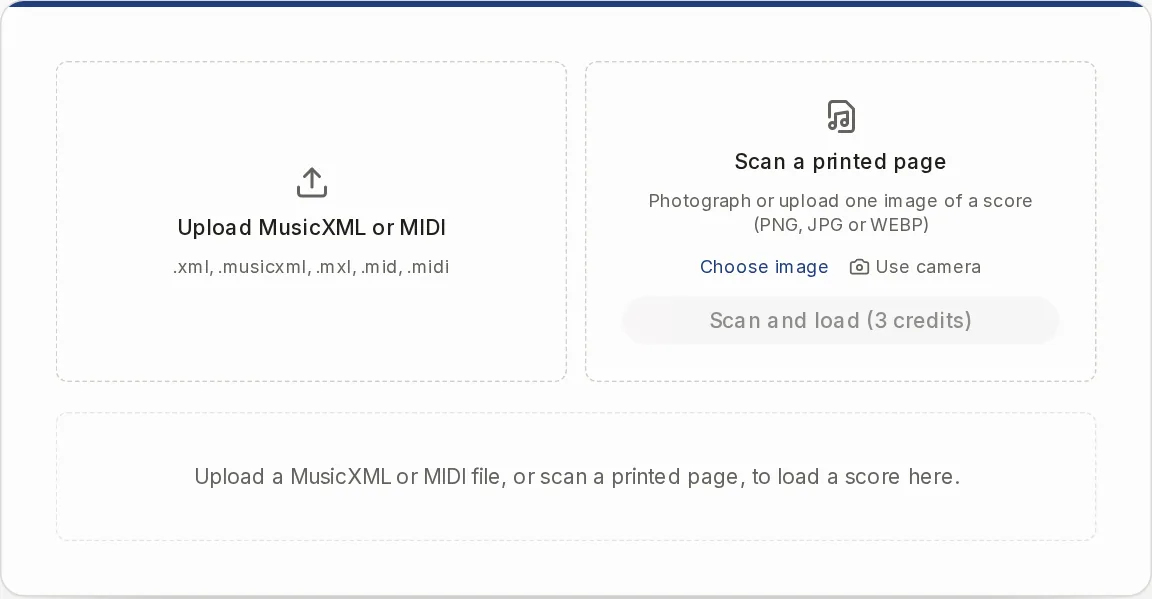
Two ways to load a score
The left box opens a file. MusicXML (.xml, .musicxml), compressed MusicXML (.mxl) and MIDI (.mid, .midi) are read in your browser. It is free, needs no account, and nothing is uploaded. A MIDI file becomes one piano grand staff.
The right box scans a printed page. Choose a PNG, JPG or WEBP image, or use the camera on a phone. It needs a sign-in and costs credits per scan, and the button shows the price. See the Pricing page.
The scan box does not take a PDF. To start from a PDF, convert it on the PDF to MusicXML page first, then load the MusicXML here. Use it on music you own or have the right to use.
What to know before you load a file
Notes only
Chord symbols, lyrics, dynamics, articulations, repeats and the title in your file are dropped on load. This is not a chord transposer.
No audio
It does not change the pitch of a recording or a song on Spotify. It works on written notes only.
Whole score
You cannot shift one part or a few bars, and there is no different shift per part.
Semitones, not key names
You cannot pick "to G major". The tool does not name the key it shows.
Keys and rhythm
A later key change gets accidentals instead of its own signature. Rhythm is rounded to a 16th-note grid.
Written for your instrument already
The presets assume a concert-pitch score. There is no switch back from a written part to concert pitch.
Music transposer questions
What is a music transposer?
A music transposer moves a whole piece up or down so it sounds, or is written, in another key. Here it moves every note of a score by a number of semitones and redraws the accidentals.
Is there a website that transposes sheet music?
Yes, this page. Open a MusicXML, MXL or MIDI file, or scan a printed page, and shift it by semitones or with an instrument preset. Then download the transposed PDF and MIDI.
What is the easiest way to transpose music?
Load the score, click the preset for your instrument or the number of semitones you need, and check the result on screen. That replaces counting intervals and accidentals by hand.
How do I transpose for B♭ clarinet or trumpet?
Load the concert-pitch score and click B♭ (trumpet, clarinet). That shifts it up two semitones, which is the written part. For an A clarinet use A clarinet (+3), for alto sax use E♭ (alto sax), and for horn use F (french horn).
Can I transpose for tenor or baritone sax?
There is no button for them, but the shift still works. For B♭ tenor sax use +2, and the player reads an octave lower. For E♭ baritone sax use +9 in the same way. The chart above lists the exact figures.
Can I transpose a PDF?
Not directly. The scan box takes one image, not a PDF. Convert the PDF to MusicXML on the PDF to MusicXML page, then open that file here.
Can Google or Spotify transpose sheet music?
They work with sound, not with a written score. To get transposed notes on a staff, use a tool that reads notation, like this one.
Is there a free pitch changer for a song?
Pitch changers work on audio, and this page does not. It transposes written sheet music. For a recording you first need a score, so see the Audio to Sheet Music page.
Is it free?
Opening a MusicXML, MXL or MIDI file, transposing, and downloading is free and needs no account. Scanning a printed page needs a sign-in and credits. The scan button shows the price.
Other tools for your score
When the music is not in a file yet, or you need something this page does not do.
Transpose your score now
Open a MusicXML or MIDI file, click your instrument, and download the PDF.